MEP BIM Modeling Techniques Using Revit MEP: Building Smarter, Coordinated, and Future-Ready Systems
Modern buildings demand precision, coordination, and efficiency. Traditional MEP workflows struggle to meet these expectations. That is where Building Information Modeling changes everything. MEP BIM Modeling Revit help engineers design smarter systems with accuracy and confidence. These techniques improve coordination between mechanical, electrical, and plumbing disciplines. They also reduce errors before construction begins.
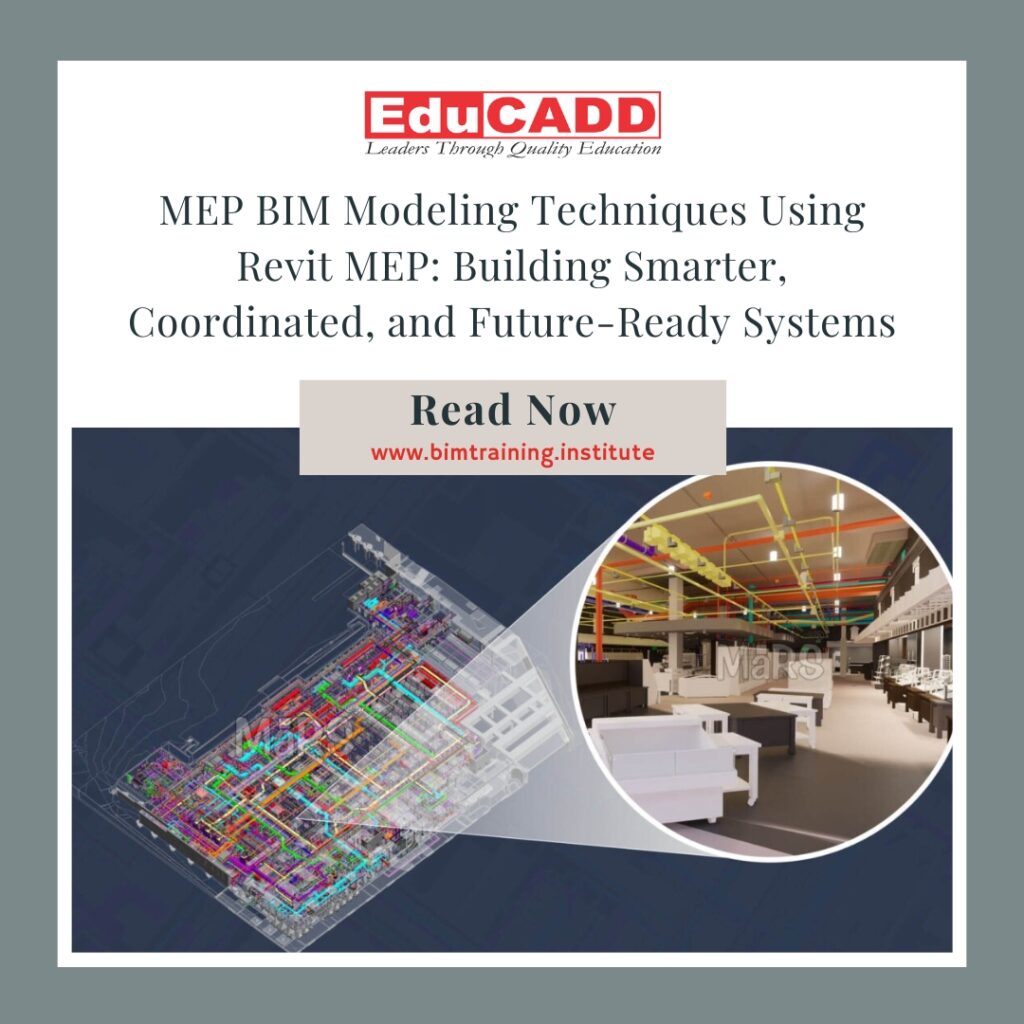
Revit MEP offers a powerful platform for intelligent modeling. It allows professionals to visualize systems in 3D. It also enables data-driven decisions across the project lifecycle. With the right approach, teams can deliver efficient designs, reduce clashes, and control costs. This blog explores advanced MEP BIM Modeling Revit in a detailed and practical way.
1. Understanding the Core Principles of MEP BIM Modeling in Revit MEP
Before applying advanced methods, professionals must understand the foundation. MEP BIM modeling techniques using Revit MEP rely on intelligent elements. These elements carry both geometry and data. Unlike CAD drawings, BIM objects behave like real components.
Revit MEP uses parametric families. These families adjust automatically when design changes occur. For example, duct sizes update based on airflow requirements. Electrical loads change when fixtures move. This intelligence improves design accuracy.
System-based modeling plays a key role. Mechanical systems connect ducts, equipment, and terminals logically. Electrical systems link panels, circuits, and devices. Plumbing systems connect fixtures with supply and drainage networks. Each system remains coordinated throughout the model.
Worksharing features allow multiple team members to collaborate. Designers work simultaneously without conflicts. Central models maintain control and consistency. This approach increases productivity and reduces rework.
Understanding these principles ensures effective use of MEP BIM modeling techniques using Revit MEP. Strong foundations lead to better project outcomes.
2. Mechanical System Modeling Techniques for Accuracy and Performance
Mechanical systems form the backbone of building comfort. Revit MEP supports advanced HVAC modeling with precision. Engineers begin by defining spaces and zones. These elements calculate heating and cooling loads accurately.
Duct modeling follows logical airflow paths. Designers assign system types such as supply, return, or exhaust. Revit automatically calculates duct sizing based on defined parameters. This reduces manual errors and saves time.
Equipment placement requires careful planning. Air handling units, chillers, and VAV boxes must align with architectural constraints. Revit allows clear visualization in 3D views. This improves coordination with other disciplines.
MEP BIM modeling techniques using Revit MEP also support energy analysis. Designers export models to simulation tools. They evaluate performance before construction begins. This proactive approach enhances sustainability.
Short duct runs, proper clearances, and logical routing improve system efficiency. These techniques ensure mechanical systems perform as intended.
3. Electrical Modeling Strategies for Load Management and Safety
Electrical systems demand accuracy and compliance. Revit MEP offers powerful tools for electrical modeling. Engineers start by placing lighting fixtures, power devices, and equipment. Each component carries load data.
Circuiting tools simplify connections. Designers assign devices to panels with ease. Revit automatically calculates circuit loads and balances phases. This prevents overloads and ensures safety.
Panel schedules update in real time. Changes in the model reflect instantly in schedules. This feature reduces coordination issues. It also improves documentation quality.
MEP BIM modeling techniques using Revit MEP enhance electrical coordination. Cable trays and conduits route cleanly through shared spaces. Clash detection identifies conflicts early. This avoids costly site changes.
Clear labeling and consistent naming conventions improve readability. Electrical models become reliable sources of information for construction teams.
4. Plumbing System Modeling Techniques for Efficient Water Management
Plumbing design requires precision and compliance. Revit MEP supports intelligent plumbing modeling. Designers place fixtures with predefined flow rates. These values drive pipe sizing calculations.
Supply systems include cold water, hot water, and recirculation lines. Drainage systems handle waste and vent connections. Revit maintains proper slopes automatically. This reduces installation errors.
Pipe systems remain fully connected. Any change updates the entire network. This ensures consistency across drawings and schedules.
MEP BIM modeling techniques using Revit MEP also support code compliance. Designers verify clearances and slopes visually. They identify potential issues early in the design phase.
Well-organized plumbing models improve coordination with structural elements. This prevents clashes with beams and slabs.
5. Clash Detection and Interdisciplinary Coordination Techniques
Coordination defines project success. Revit MEP integrates seamlessly with architectural and structural models. This integration enables early clash detection.
Designers use interference checks to identify conflicts. Ducts clashing with beams appear instantly. Teams resolve issues before construction begins.
Navisworks integration enhances coordination further. Combined models undergo detailed clash analysis. Reports guide teams toward quick resolutions.
MEP BIM modeling techniques using Revit MEP encourage collaboration. Regular coordination meetings use shared models. Stakeholders visualize solutions clearly.
This proactive approach reduces RFIs and delays. It also improves trust between project teams.
6. Documentation, Schedules, and Construction Deliverables
Accurate documentation supports smooth construction. Revit MEP automates drawing creation. Plans, sections, and 3D views stay synchronized.
Schedules extract data directly from the model. Quantity takeoffs update automatically. This improves cost estimation accuracy.
MEP BIM modeling techniques using Revit MEP improve LOD development. Designers progress from concept to fabrication-ready models. Each stage adds detail without duplication.
Clear annotations and tags enhance drawing clarity. Contractors understand design intent easily. This reduces misinterpretation on site.
Well-structured documentation improves project efficiency. It also strengthens professional credibility.
7. Best Practices for Optimizing MEP BIM Workflows in Revit MEP
Successful projects follow proven workflows. Template standardization improves consistency. Predefined families save modeling time.
Naming conventions maintain clarity across systems. Clean models perform better and load faster. Regular audits prevent file corruption.
MEP BIM modeling techniques using Revit MEP benefit from continuous learning. Software updates introduce new features regularly. Teams should stay informed.
Quality control checks ensure accuracy. Model reviews catch issues early. This reduces downstream problems.
Optimized workflows lead to reliable and scalable BIM processes.
Conclusion
MEP BIM Modeling Revit transform the way building systems are designed and delivered. They replace fragmented workflows with integrated, intelligent processes. From mechanical performance to electrical safety and plumbing efficiency, every system benefits.
Revit MEP enables accurate modeling, seamless coordination, and reliable documentation. When applied correctly, these techniques reduce risks and improve outcomes. They also support sustainability and lifecycle management.
As the construction industry evolves, BIM expertise becomes essential. Mastering MEP BIM modeling techniques using Revit MEP positions professionals for long-term success. Smart models today create smarter buildings tomorrow.