From Concept to Construction: Mastering the Revit Architecture Workflow (Beginner to Advanced)
In today’s fast-evolving AEC industry, architects must work faster, smarter, and with greater accuracy. Traditional CAD methods no longer meet the demands of modern design coordination and documentation. This is where the Revit Architecture Workflow Guide becomes essential. Revit is not just a drafting tool. It is a complete Building Information Modeling (BIM) platform that connects design, documentation, and construction into one intelligent process.
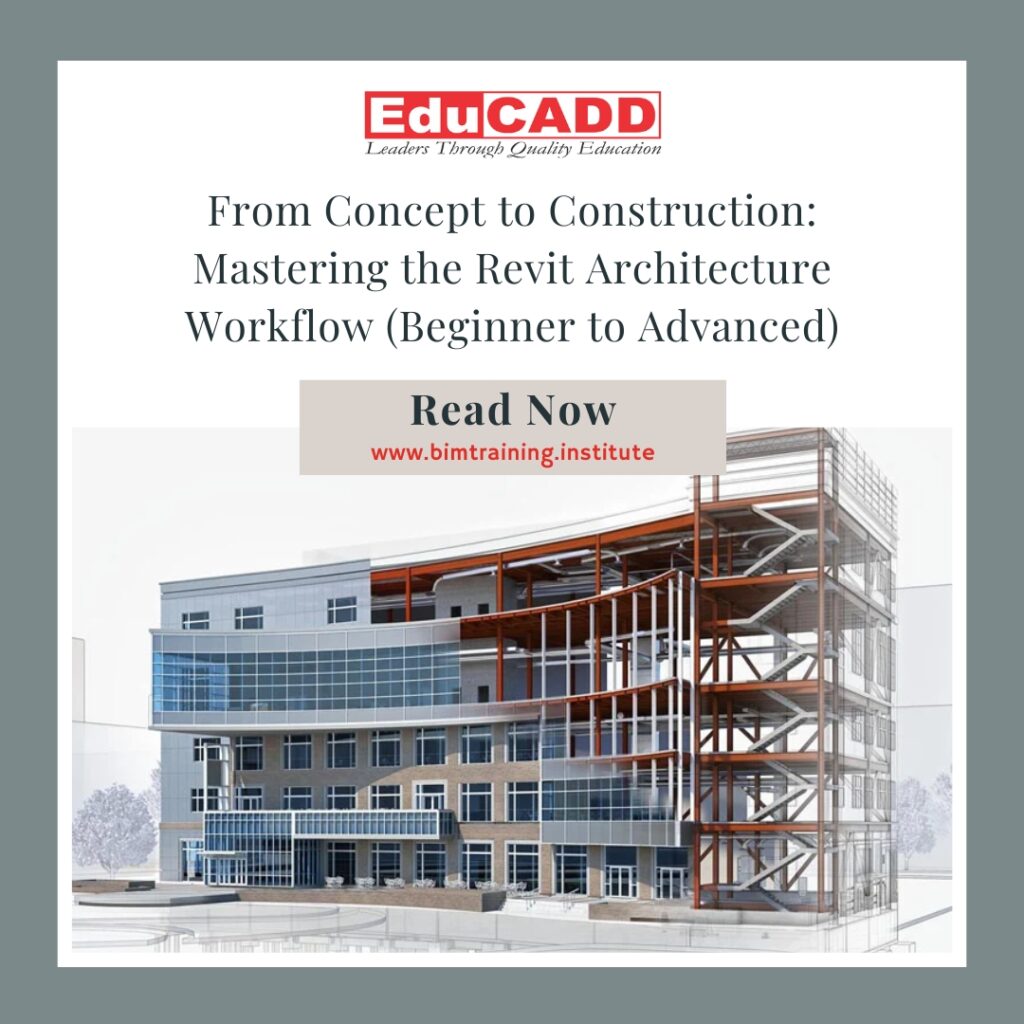
A well-defined Revit Architecture workflow helps architects reduce errors, improve collaboration, and maintain design consistency from concept to construction. Beginners often struggle because they treat Revit like AutoCAD. Advanced users succeed because they understand how data, geometry, and documentation work together. This blog explains the complete Revit Architecture workflow in a structured way, guiding you from beginner concepts to advanced professional practices.
Whether you are a student, junior architect, or working professional, mastering this workflow will significantly improve your productivity and project outcomes.
1. Understanding BIM Fundamentals: The Foundation of Revit Architecture Workflow
Before opening Revit, it is critical to understand BIM fundamentals. Building Information Modeling is not about drawing lines. Instead, it is about creating intelligent building components that contain data. Walls know their materials. Doors understand their dimensions. Floors recognize their structural layers.
In the Revit Architecture Workflow Guide, every element belongs to a category, family, and type. This hierarchy controls how elements behave, display, and schedule. Beginners often skip this understanding, which leads to messy models later. However, strong BIM knowledge ensures clean, scalable projects.
At this stage, architects must learn how Revit manages levels, grids, and project units. Levels control vertical organization. Grids define structural alignment. Proper setup ensures accuracy throughout the project lifecycle. In addition, understanding views is essential. Plans, sections, elevations, and 3D views are simply different ways to look at the same model.
Once these basics are clear, users can begin modeling with confidence. This foundational knowledge supports every advanced step in the Revit Architecture workflow.
2. Project Setup and Template Management: Starting the Right Way
A successful Revit Architecture workflow always starts with proper project setup. This stage defines how smoothly the project will progress. Using a well-structured template saves time and reduces errors.
Templates control view settings, annotation styles, line weights, materials, and object styles. Instead of adjusting settings repeatedly, professionals rely on standardized templates. These templates also maintain office standards across multiple projects.
During setup, architects must define project units, location, orientation, and levels. Accurate levels help avoid coordination problems later. Similarly, view naming conventions and browser organization improve navigation.
Another important step involves setting up worksets for collaboration. Even small projects benefit from proper worksharing practices. Clear workset division improves performance and team coordination.
By investing time in setup, architects create a strong backbone for the entire Revit Architecture workflow. This preparation allows designers to focus more on creativity and less on technical fixes.
3. Conceptual Design and Massing: Turning Ideas into Intelligent Forms
Conceptual design is where creativity meets technology. In the Revit Architecture workflow, massing tools allow architects to explore design ideas while maintaining BIM intelligence. Unlike sketch-based tools, Revit masses can later convert into building elements.
During this phase, architects use conceptual masses to study building form, orientation, and scale. These masses help evaluate sunlight, shadows, and overall proportions. Early design decisions made here influence energy performance and spatial efficiency.
Revit allows designers to push and pull forms, create parametric shapes, and test multiple options quickly. Because these masses connect to levels and reference planes, changes remain controlled and consistent.
Once the concept is finalized, masses can transform into walls, roofs, floors, and curtain systems. This seamless transition makes the Revit Architecture workflow highly efficient. Design intent remains intact while moving toward detailed modeling.
This stage bridges creativity and technical precision, making it one of the most powerful parts of Revit.
4. Detailed Architectural Modeling: Building with Accuracy and Intelligence
After finalizing the concept, the workflow moves into detailed architectural modeling. This phase forms the core of the Revit Architecture workflow. Here, architects develop walls, floors, roofs, doors, windows, and stairs with precision.
Each building element contains parameters that control size, material, and behavior. For example, a wall type defines structural layers, finishes, and thermal properties. Changing a wall type updates every instance automatically.
Revit ensures consistency across views. A change in plan instantly reflects in sections, elevations, and 3D views. This coordination reduces documentation errors significantly.
Advanced users also customize families to meet project-specific requirements. Parametric families improve flexibility and reduce repetitive work. Additionally, design options help explore alternatives without duplicating models.
At this stage, careful modeling practices matter. Clean geometry, proper alignment, and correct hosting improve model health. A disciplined approach strengthens the entire Revit Architecture workflow.
5. Annotation, Documentation, and Detailing: Communicating Design Clearly
Design is only successful when it communicates clearly. In the Revit Architecture workflow, documentation plays a crucial role. Revit automates much of this process, but architects must apply standards correctly.
Annotations include dimensions, tags, text, and symbols. Because these elements link to the model, changes update automatically. This dynamic connection improves accuracy and saves time.
Detailing in Revit uses both model-based details and 2D drafting tools. While some details require custom drafting, many can derive directly from the model. This approach ensures consistency between drawings and the building design.
View templates control visual appearance across drawings. They standardize line weights, visibility, and graphics. Sheets organize views for printing and submission.
By combining intelligent annotation with organized documentation, architects produce professional drawing sets efficiently. This stage highlights the real power of the Revit Architecture workflow.
6. Coordination, Clash Detection, and Collaboration: Working as One Team
Modern projects involve multiple disciplines. Architects must coordinate with structural, MEP, and construction teams. The Revit Architecture workflow supports this collaboration through linked models and shared coordinates.
Revit allows architects to link consultant models and monitor changes. Clash detection tools help identify conflicts early. Resolving issues during design prevents costly site problems later.
Worksharing enables multiple team members to work simultaneously. Clear communication and disciplined syncing practices maintain model stability. Cloud-based collaboration further enhances teamwork across locations.
This stage also includes design reviews and model audits. Regular checks improve performance and ensure compliance with standards. A well-coordinated model becomes a reliable source of truth for all stakeholders.
Effective collaboration transforms Revit from a software tool into a project management asset.
7. Advanced Automation, Schedules, and BIM Deliverables
Advanced users elevate the Revit Architecture workflow through automation and data management. Schedules extract quantities, areas, and material data directly from the model. These schedules update automatically as the design evolves.
Parametric design and Dynamo scripts further enhance efficiency. Automation reduces repetitive tasks and improves accuracy. Advanced users also manage shared parameters for consistent data output.
Revit models now support advanced BIM deliverables such as 4D sequencing, 5D cost estimation, and facility management data. These outputs extend the value of architectural models beyond design.
At this level, architects think beyond drawings. They deliver intelligent data that supports the entire building lifecycle. Mastery of advanced tools distinguishes professionals in the competitive AEC industry.
Conclusion: Elevating Your Career with a Strong Revit Architecture Workflow
Mastering the Revit Architecture Workflow Guide is no longer optional. It is a critical skill for modern architects and designers. From understanding BIM fundamentals to delivering advanced BIM outputs, each stage builds upon the previous one.
Beginners gain confidence by learning structured workflows. Intermediate users improve efficiency through coordination and documentation. Advanced professionals unlock automation and data-driven design. This progression transforms how architects work and think.
By following a disciplined Revit Architecture workflow, architects reduce errors, improve collaboration, and deliver higher-quality projects. More importantly, they future-proof their careers in a rapidly evolving industry.
Revit is not just software. When used correctly, it becomes a powerful architectural system that connects ideas, data, and construction into one intelligent process.